
Password recovery is certainly not a minor concern that is relevant only after something goes wrong. It forms part of the account journey we expect every wildtokyocasino player to grasp from the first registration screen. A working email address, a present phone number, and a password you can manage safely all influence how quickly you can regain access to your account if you lose your credentials. In this guide, we walk through sign-up, identity verification, secure login, password reset, two-factor authentication, and solutions for common access problems. We ensure the advice practical so you can set up your account once, secure it properly, and restore access without unnecessary delay.
How to Change Your Password Quickly
The usual reset procedure is speedy when your recovery information is correct. Initiate by pressing the “Forgot Password” link on the login screen. You will be asked to enter the email address associated with your account. In a short time, an email arrives with a special reset link. Tap that link, and you will arrive at a safe page to establish a new password. Pick a robust password you have not used previously, verify it, and send it. The platform then ends all active sessions, so you must sign in again using the new information.
If the email does not appear, check your spam or junk folder and ensure you entered the correct address. Some email providers delay messages by a few minutes, so wait briefly before trying again. If you still do not receive anything, ensure your account email is current by looking at past confirmation messages from Wild Tokyo Casino. A stale email is the usual reason for a reset request that yields no response. In that situation, you must reach out to support and submit identity verification papers to get the email changed manually.
Following a password reset, we advise logging in and right away examining your account activity. Check for any strange sessions or transactions. If you notice anything questionable, activate or renew 2FA and change your password again from a secure device. The reset mechanism itself is protected, but it is prudent to consider a forgotten password as a signal to enhance your overall account safety. A short period of post-reset maintenance can stop a similar occurrence.
Keeping Your Recovery Details Current
Recovery methods deteriorate over time if you do not maintain them. People change email providers, get new phone numbers, and relocate to different addresses. Each of these life changes can quietly break your recovery chain. We advise setting a calendar reminder every three months to log into your Wild Tokyo Casino account and verify that your email, phone number, and KYC documents are still valid. This five-minute check avoids the shock of discovering an outdated recovery method only when you are locked out.
When you modify your email address, the system transmits a confirmation link to the new address. Complete that confirmation immediately. An unconfirmed email cannot be used for password resets. Similarly, if you change your phone number, erase the old one and add the new one in the same session. Leaving a dead number on file can cause the system to send verification codes into a black hole, which delays recovery. If you use an authenticator app for 2FA, remember to transfer the account to your new phone before wiping the old device. Most authenticator apps provide an export function for this purpose.
Also, examine your linked payment methods. While not directly part of password recovery, a payment method that is cancelled can initiate account restrictions that feel like login problems. Maintaining your entire account profile current is a single habit that secures your access, your funds, and your ability to recover quickly. We encounter far fewer recovery tickets from players who handle account maintenance as a routine task rather than an emergency response.
Why Password Recovery Originates at Registration
Account restoration begins with the information you provide before you actually make a bet. We consider the registration email and phone number as restoration points, not non-mandatory profile fields. If the email address is typoed, or the phone number is expired, a reset link or verification code might never reach you. Use an inbox you review regularly and a number you own, and stay away from shared addresses that another person can use. A password manager aids because it saves the exact login you employed, including capitalisation and symbols, which removes much of the guesswork that later turns into a recovery request.
We also ask players to reflect about recovery before they require it. Bookmark the official Wild Tokyo Casino login page, verify that your browser is not blocking messages from the casino, and keep your recovery email separate from the one you utilize for public sign-ups where possible. If you alter your email or phone number, renew the account instantly rather than holding off for a login failure. These housekeeping steps lessen the chance that a forgotten password develops into a locked account. They also render identity verification more seamless because the contact details on file match the documents you later present.
Ignoring these early steps often leads to a exasperating loop. A player who signed up with a work email that later became inactive, for example, is unable to receive a reset link and needs to go through a manual identity check that demands days. By contrast, a player who used a personal email and goal.com saved the login URL can reset a password in under two minutes. The difference is completely in the preparation. We suggest treating your recovery anchors as carefully as you manage your payment method details, because without them, even a fully verified account can grow temporarily unreachable.
- Employ a personal email address you check daily, not a shared or work account.
- Supply a mobile number that remains with you, not a temporary SIM.
- Save the official casino URL in your bookmarks to avoid phishing pages.
- Store your password in a reputable password manager from day one.
- Modify your contact details in the account settings the moment they shift.
Account Verification: The Safety Net for Recovery
Identity Verification, commonly known as KYC, is not just a compliance obligation. It serves as a backup recovery path when your typical recovery choices fail. We ask you to submit a sharp image of your ID document, a recent utility bill or bank statement with your address, and occasionally a selfie with the document. After verification, your identity is tied to your account, meaning our support team may use those documents to confirm ownership if you cannot access to both your email and phone. If your KYC profile is incomplete, a frozen account may need a far longer manual review.
We suggest finishing verification as soon as your account is active, even when you do not plan to withdraw funds right away. The process normally takes less than 24 hours, and when approved, it stays on file. If you later forget your password and your recovery email is not accessible, the support team may cross-check your ID and address documents to restore access. Keep your submitted documents current: if you relocate to a new residence, upload a fresh proof of address. An old utility invoice can postpone recovery just when you depend on it most.
Players may worry about privacy, but the documents are secured and used only for verification and recovery purposes. We will not share them with third parties. The peace of mind is worth the minor effort. Think of KYC as a safety net that supports you when your primary recovery methods fail. A confirmed account can be regained through a support ticket with a much higher success rate than an unverified one, where we have no standard to verify you are the legitimate owner.
Establishing a Robust Password and Saving It Properly
A password that is simple to remember is often easy to guess, and a password that is really strong is practically impossible to recall without help. We advise creating a unique passphrase of at least twelve characters that mixes uppercase letters, lowercase letters, numbers, and symbols. Steer clear of using personal information such as your name, birth date, or favourite team, because these details can be found on social media. Alternatively, combine unrelated words or use a random generator built into most password managers. The goal is a credential that resists both brute-force attacks and educated guessing.
Storing that password securely is similarly important. Noting it on a sticky note or in an unencrypted phone memo undermines the purpose. A dedicated password manager scrambles your vault and updates it across devices, so you only need to remember one strong master password. We suggest managers like Bitwarden, 1Password, or the built-in options in modern browsers, as long as you protect your device with a screen lock. If you favor a physical backup, write the password on paper and store it in a locked drawer or safe, never in your wallet or under your keyboard.
Recycling passwords across multiple sites is one of the biggest risks we see. If another service suffers a data breach, attackers will test those credentials on casino and banking sites. A unique password for your Wild Tokyo Casino account limits the damage. Match this with regular password updates every few months, and you shrink the window of vulnerability significantly. The combination of a strong, unique password and a secure storage method means you will seldom need the recovery process at all, which is the best outcome.
FAQ
What to do if I cannot access my registered email?
Reach out to our support team right away and prepare for identity verification. You must submit a clear copy of your government-issued ID and a recent proof of address. Once we confirm your identity, we can update your email to a new one you control. This procedure typically takes under 24 hours. To avoid this scenario, maintain a current recovery email and consider enabling a backup email option in your account settings.
Can I change my password if I don’t have my phone number?
Yes, as long as you have access to your registered email. Utilize the “Forgot Password” link and proceed with the email reset process. Should you lose access to both your email and phone, manual identity verification is required. Therefore, we advise keeping at least two recovery methods enabled. A backup email or an authenticator app can serve as a second channel when your primary phone is unavailable.
What is the validity period of a password reset link?
Password reset links typically are valid after one hour for security reasons. If your link has expired, simply request a new one from the login page. Do not recycle an old link, as it will not work. If you make multiple resets in a short period, the system may temporarily block further attempts to prevent abuse. Wait fifteen minutes and try again with a fresh request.
What if I see a “verification failed” message during a reset?
This usually means the information you entered does not match our records. Double-check that you are using the exact email address registered on your account. Watch out for typos or old email addresses you may have forgotten. If the problem continues, clear your browser cache and try from an incognito window. Still failing? Contact support with your account details so we can look into whether your account email was changed without your knowledge.
Is 2FA mandatory https://www.cbc.ca/mediacentre/press-release/cebl-cbc-sports-announce-2022-broadcast-schedule for password recovery?
Two-factor authentication is not obligatory for a standard password reset, but it adds a powerful layer of protection. If 2FA is active, you may be asked to enter a code from your authenticator app or SMS during the reset process, especially if the system recognizes an unfamiliar device. This prevents someone who gained access to your email from resetting your password without the second factor. We suggest enabling 2FA precisely for this reason.
How do I sidestep the need for password recovery altogether?
Leverage a password manager to produce and save a one-of-a-kind, secure password. Turn on two-factor authentication and keep the backup codes protected. Keep your contact details up to date and complete identity verification early. Mark the official login page and dodge phishing sites. These practices minimize forgotten passwords and prevent unauthorized access attempts that could trigger a reset. A well-kept account infrequently demands recovery, and when it happens, the process is swift and trouble-free.
Password recovery is not merely a button you click in desperation. It is a chain of decisions that starts the moment you create your account and continues every time you update a phone number, store a backup code, or check your spam folder. By viewing your email, phone, KYC paperwork, and 2FA settings as dynamic recovery instruments instead of fixed profile entries, you convert a possible lockout into a short interruption. We recommend you allocate ten minutes now to examine your account: check your contact data, turn on two-factor authentication if it’s not already active, and keep your backup codes in a safe spot. That small investment of time is what separates a quick reset from a lengthy support case. Your account access is under your control, and with the instructions in this guide, you possess all that’s required to maintain it.
Creating Your Wild Tokyo Casino Account Gradually
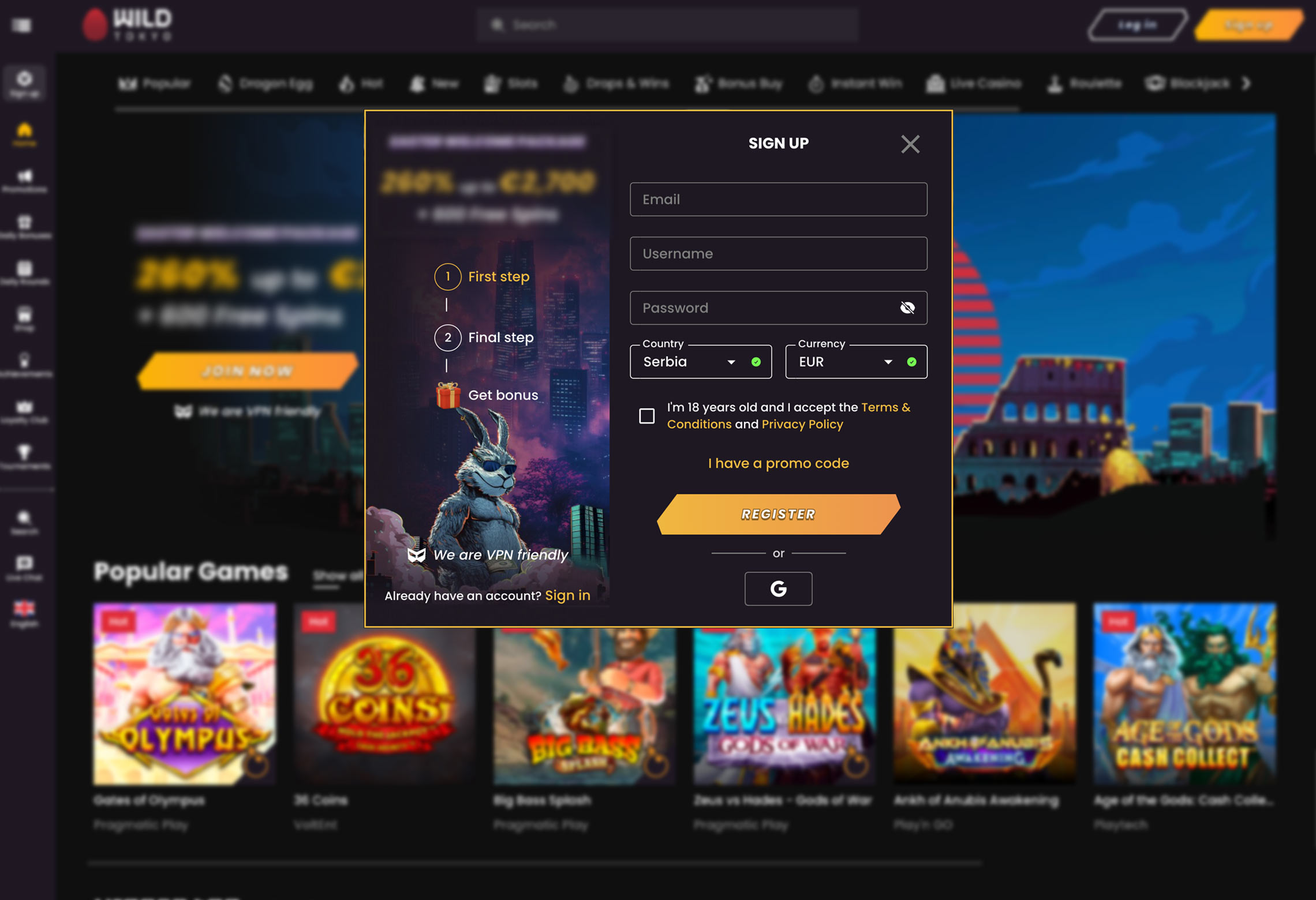
Sign-up is purposefully arranged, and observing the order matters. We require you to access the authorized registration page and fill in every field with precise data because each piece of data later aids identity checks and recovery. The form asks for your full name, date of birth, email address, phone number, and a password. You will also choose your currency and agree to the terms. Hurrying through this stage or entering placeholder details creates a weak groundwork that hinders every future login effort. Take the extra minute to review spelling and confirm the phone number includes the correct country code.
- Go to the official Wild Tokyo Casino website and press the “Sign Up” button.
- Enter your first and last name exactly as they appear on your government-issued ID.
- Give a valid email address and a mobile phone number with the correct international prefix.
- Create a password that fulfills the strength standards shown on screen.
- Pick your preferred currency and read the terms and conditions before marking the agreement box.
- Finish any captcha or verification prompt and submit the form.
- Check your email inbox for a confirmation notice and press the link to enable your account.
After verification, access right away and check the account settings. Confirm that your email and phone number are shown correctly, and think about enabling two-factor authentication right away. This is also the moment to store your password in a secure manager. If you ever require to retrieve access, the system will rely on the exact details you just verified, so a quick check now saves hours of trouble later. View this initial setup as the foundation of your recovery plan, not a one-time chore.
Dual-Factor Verification: The Second Lock on Your Account
Two-factor authentication offers a layer which a password alone cannot offer. Even if someone obtains your login credentials, they are unable to enter your account without the second factor, that is usually a time-based code generated by an app including Google Authenticator or sent via SMS. We strongly encourage every player to activate 2FA straight away after registration. Setting it up requires under two minutes and significantly lowers the chance of illegitimate access. It also has a direct role in recovery because a working 2FA method can act as an alternative verification channel when you ask for a password reset.
Upon activating 2FA, the system gives a set of backup codes. Store these codes in your password manager or write them down and keep them securely. Should you lose your phone or remove the authenticator app, those backup codes are your only way to get around 2FA and recover access. In their absence, you will need to contact support and undergo a manual identity verification, which is slower. Treat the backup codes with equal caution as your password, since they are fundamentally spare keys to your account.
We suggest using an authenticator app instead of SMS-based codes when possible. SMS messages may be intercepted through SIM-swap attacks, while app-generated codes remain on your device. Should you need to use SMS, reach out to your mobile carrier and establish a PIN or port-out lock on your account. This additional measure protects your phone number from theft. A correctly set up 2FA setup transforms a lost password into a minor inconvenience rather than a security crisis, since you can still prove ownership via the second factor during the reset of the password.
Fixing Common Login Errors
Sometimes the issue is not a forgotten password but a technical hurdle that mimics one. A common issue is a browser cache that holds an old, incorrect password. Erase your browser’s saved passwords and cache, then try logging in manually. Another frequent cause is an outdated bookmark that points to an old version of the login page. Always input the casino URL directly or use the official bookmark you saved during registration. If you encounter a “too many attempts” message, wait fifteen minutes before trying again, because repeated failed logins trigger a temporary lock for your protection.
Geolocation restrictions can also hinder access. If you are travelling or using a VPN, the system may identify the login as suspicious and require additional verification. Turn off the VPN and try again, or use a server location that matches your registered country. If you have recently changed your device or browser, the casino may not recognize the new environment and will send a verification code to your email or phone. Verify both channels and enter the code promptly, as it runs out quickly.
For persistent errors, our support team can examine the backend status of your account. Before reaching out, gather the exact error message, the time of the attempt, and the device and browser you used. This information assists the team to pinpoint whether the issue is a password mismatch, a temporary security hold, or a configuration problem on your side. Most login blocks are solved within a few minutes once the root cause is found, so do not assume your account is lost.
Leave a Reply